Home › Making Tax Digital
Making Tax Digital for Income Tax, explained simply
If you're a self-employed plumber, builder, electrician, courier or landlord, the way you report your income to HMRC is changing. Here's what Making Tax Digital means for you, in plain English.
 MAKING TAX DIGITAL
The short version
- If your turnover (not profit) from self-employment and property is over a threshold, you'll keep your records digitally and send HMRC a short update every 3 months, then a tax return at the end of the year.
- Over £50,000 on your 2024 to 2025 return: you should have started on 6 April 2026.
- Over £30,000 on your 2025 to 2026 return: you start on 6 April 2027.
- Over £20,000 on your 2026 to 2027 return: you start on 6 April 2028.
- You can keep using a spreadsheet, but you'll also need HMRC-recognised software to send the figures.
1. What Making Tax Digital actually is
Today most self-employed people send one Self Assessment tax return a year. Under Making Tax Digital for Income Tax (often shortened to "MTD"), you'll instead:
- Keep digital records of your business income and expenses as you go. A shoebox of receipts sorted once a year won't do any more.
- Send a quarterly update every 3 months. This is just the running totals of your income and expenses, not a tax return. HMRC doesn't see individual receipts.
- Submit your tax return through your software after the end of the tax year, adding any other income, such as savings interest, and any reliefs.
The upside, according to HMRC, is that after each update you can see an estimate of your tax bill, so January is less of a shock.
2. Who needs it, and when
You need Making Tax Digital for Income Tax if you're a sole trader or landlord registered for Self Assessment, and your qualifying income is over the threshold. HMRC looks at the tax return from an earlier year to decide when you start:
- 6 April 2026 over £50,000Based on your 2024 to 2025 tax return. Already started.
- 6 April 2027 over £30,000Based on your 2025 to 2026 tax return. The big wave: over a million more people.
- 6 April 2028 over £20,000Based on your 2026 to 2027 tax return.
GOV.UK estimates over a million more sole traders and landlords join in April 2027 alone. Partnerships don't need to use it yet; HMRC will set a date later.
Didn't get a letter from HMRC? HMRC writes to people it thinks need to sign up, but GOV.UK is clear that it's still your responsibility to check and sign up in time.
3. What counts as "qualifying income"
This is the bit that catches people out. Qualifying income is your total turnover from self-employment and property, before expenses.
- A plumber who invoices £34,000 in a year but has £15,000 of costs has qualifying income of £34,000, not £19,000.
- Self-employment and property turnover are added together. £18,000 from a trade plus £14,000 of rent is £32,000.
- Wages from a PAYE job don't count towards the threshold.
For a CIS subcontractor, it's the gross amount you earned before the contractor's CIS deduction, not the amount that hit your bank account.
4. Quarterly updates: dates and what you send
Each update covers the tax year so far and is due a month and a couple of days after the period ends. Four dates to put in your diary every year:
(to 5 July)
(to 5 October)
(to 5 January)
(to 5 April)
In full, if your accounts run to 5 April (the usual), the "standard" periods are:
| Update | Covers | Send by |
|---|---|---|
| 1st | 6 April to 5 July | 7 August |
| 2nd | 6 April to 5 October | 7 November |
| 3rd | 6 April to 5 January | 7 February |
| 4th | 6 April to 5 April | 7 May (following tax year) |
If your accounts run to 31 March you can choose "calendar" periods (to 30 June, 30 September, 31 December and 31 March) instead. The deadlines are the same. You have to pick this in your software before your first update.
- You must send an update even if you earned nothing that quarter.
- Updates use the same income and expense categories as Self Assessment.
- You don't need to make accounting adjustments before sending one. Those are done before the final tax return.
5. Software, and can I still use a spreadsheet?
Yes, you can keep using a spreadsheet. GOV.UK says so directly. But a spreadsheet can't talk to HMRC on its own, so you'll need HMRC-recognised software that links to it, often called bridging software, to send your quarterly updates and tax return.
Your other option is an all-in-one app that does the record keeping and the sending. HMRC doesn't provide software itself, but GOV.UK has a software finder listing products that have passed HMRC's checks. Some are free for simple cases.
Tip: whichever you choose, start keeping digital records a few months before your start date, so the first quarter isn't a scramble.
6. Penalties
Making Tax Digital uses a points system instead of instant fines:
- Each late quarterly update or late tax return earns a penalty point.
- Once you're required to use MTD, reaching 4 points means a £200 penalty.
- HMRC will not give points for late quarterly updates in the 2026 to 2027 tax year, but you still have to send them before you can file your return, and late returns still earn points.
- Late payment penalties are separate and grow the longer the tax is unpaid.
7. Who's exempt
You won't need MTD for Income Tax if, for example:
- your qualifying income is £20,000 or less
- you're digitally excluded, meaning it isn't reasonable for you to use software because of your age, health or disability, your religious beliefs, or because you can't get internet access where you are. You have to apply for this one.
- certain other situations listed on GOV.UK, such as some foster carers or people using particular tax return pages. Some of these only last until April 2027.
HMRC won't accept "I've always done paper returns", "I'm not good with software" or "it'll cost me time and money" as reasons on their own.
8. What to do now
- Find your turnover on your last two tax returns (self-employment plus property, before expenses).
- Check your start date with our free MTD checker, or HMRC's own checker on GOV.UK.
- Choose how you'll keep records: an all-in-one app, or a spreadsheet plus bridging software.
- Start recording digitally now, even before you have to, so you're used to it.
- Sign up through GOV.UK before your start date, or ask your accountant to.
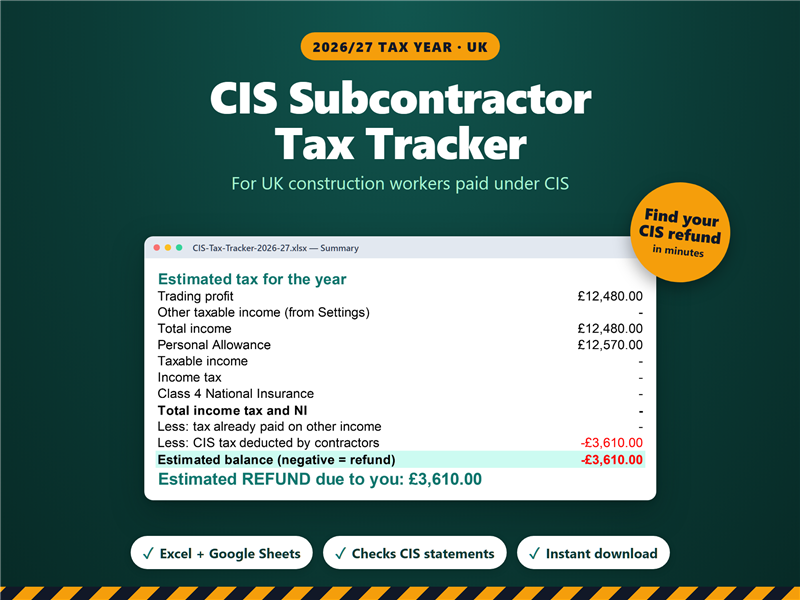
Our CIS Subcontractor Tax Tracker keeps your income, CIS deductions and expenses sorted into the Self Assessment expense categories, so the totals are easy to pick up with bridging software. Excel and Google Sheets. It's a record-keeping tool: you'll still need HMRC-recognised software to send updates.
See the template on Etsy